A family calendar both parents actually look at.
The dentist on Tuesday, football on Thursday, the school trip money by Friday. TrustParent keeps events, tasks and the weekly plan in one place both parents see, and you can subscribe to it from the calendar you already use.
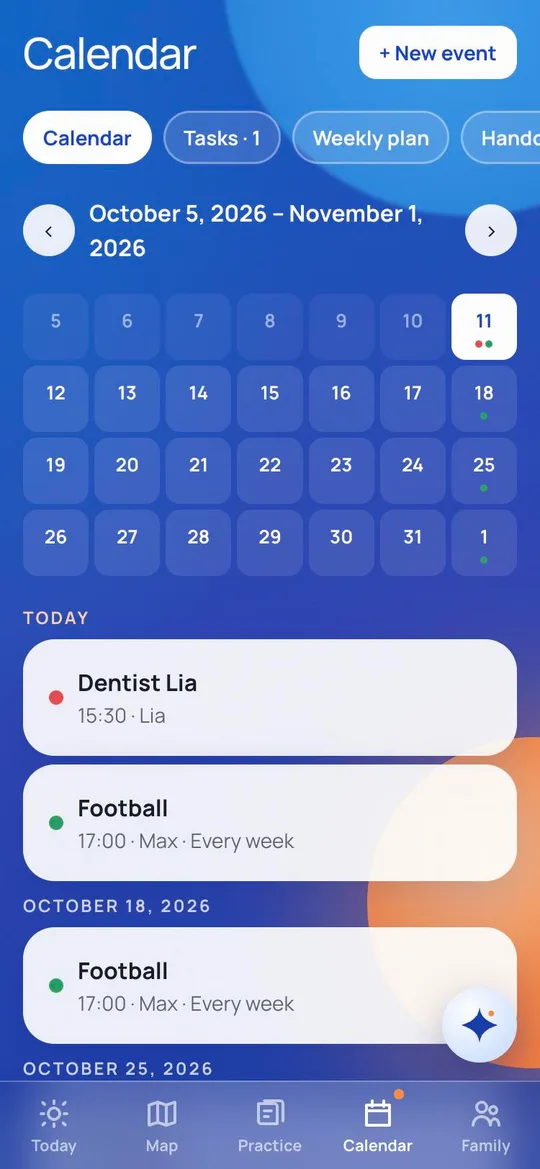
Events and tasks, shared
Every event and every task is visible to both parents. Tasks can be assigned to an adult or to a child. A child's task shows up in their kids' mode, checked off by them, with points if your family uses them.
A weekly plan per child
Beyond single events, the weekly plan holds the routine: homework slots, reading, sport, screen time, bedtime. One plan per child, with week A and week B for families with alternating weeks. A tick per day, and the chart does the reminding so you don't have to.
In Google, Apple or Outlook
Subscribe to the family calendar from the calendar you already use. Events, tasks and the weekly plan appear next to your work meetings.
Honest note: the subscription is read-only. You add and change things in TrustParent. Syncing in both directions is planned; if that's the one thing you need, tell us at hello@trustparent.io.
Why a calendar in a parenting app
Because the day has to work before anyone has room for a question card. The calendar is the floor. The family check, the Parenting Map and the cards are what you build on it. All of it in one app, so the plan and the evening belong together.
What it costs
The calendar, tasks and the weekly plan are free, for up to five adults in one family. No credit card.
Questions parents ask about the calendar
Can grandparents or the nanny see the calendar?
Yes. Up to five adults can join a family. They see the calendar, the tasks and the weekly plan, not anyone's check answers or chats with Mila.
Does it send reminders?
In the app, yes. Push notifications on the phone are coming with the store apps; until then the subscription in your own calendar app gives you its reminders.
Can I import my existing Google calendar?
Not yet. Today it's one direction: TrustParent into your calendar app.
Start with the free check
Parents also ask
Every evening is a battle over homework. Is that normal?
Very normal, and very tiring. Most homework fights aren't about the homework. They're about a tired child, a tired parent and a task nobody chose. Change the setup, not the child.
My child wants screens all the time and melts down when I turn them off. Is that normal?
Yes. Screens are built to be hard to stop, and children have less braking power than we do. The meltdown at the off button is normal. It's also the moment you can change most easily.
I have no patience left with my kids. Is that normal?
Yes, and it's not a character flaw. Patience is a tank, not a trait, and the tank empties with short nights, a job, a household that lives in your head and no twenty minutes that are yours. You don't get patience back by trying harder. You get it back by filling the tank and by taking things off it.